Online Safety Information
Keeping children safe online continues to be an important part of our safeguarding procedures and curriculum. We take online safety very seriously and we pride ourselves on taking a lead in teaching our pupils how to use new technology safely. All of our pupils follow the SMART rules when using the internet.
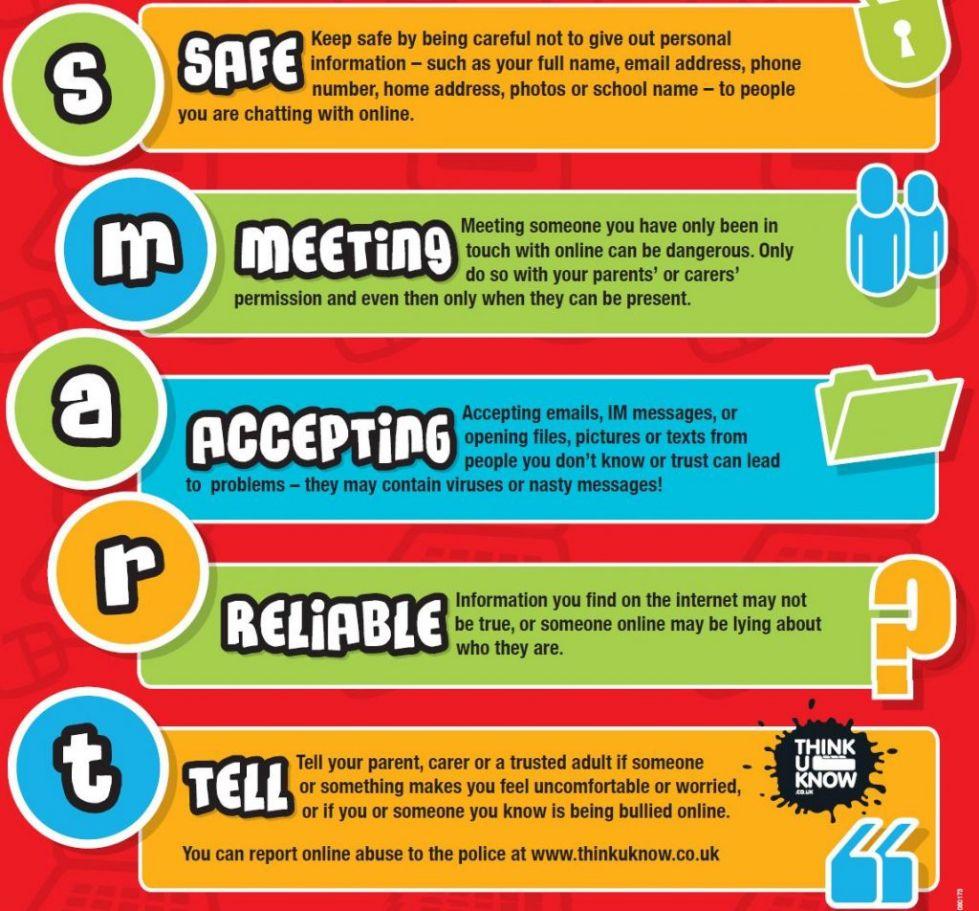
 |
Thinkuknow |
| Thinkuknow is an education programme from the National Crime Agency’s CEOP Command. Since 2006, it aims to ensure that everyone has access to this practical information – children, young people, their parents and carers and the professionals who work with them. | |
|
Internet Matters |
| A comprehensive web resource with a wide array of tips and advice on how to navigate the online world with your child. Some of their guidance we attach below but you can find even more by visiting the link. | |
|
NSPCC |
| The NSPCC are the first to admit that the internet is amazing. Children can play, learn, create and connect - opening up a whole world of exciting possibilities. But with the digital world changing all the time, how can you make sure your child’s staying safe? That’s where the NSPCC come in. Whether you’re an online expert or you’re not sure where to start, their tools and advice will help you keep your child safe. | |
|
Childnet |
| The NSPCC are the first to admit that the internet is amazing. Children can play, learn, create and connect - opening up a whole world of exciting possibilities. But with the digital world changing all the time, how can you make sure your child’s staying safe? That’s where the NSPCC come in. Whether you’re an online expert or you’re not sure where to start, their tools and advice will help you keep your child safe. | |
|
CEOP |
| Child Exploitation and Online Protection (CEOP) is part of the National Crime Agency and their website can be used to report if you are worried about online abuse or the way someone is communicating online. | |
|
BBC |
| The BBC have a website and app called Own It. The website has a lot of content for children to help them navigate their online lives, and the free smartphone app comes with a special keyboard which can intervene with help and support in the moments that children need it the most. |

|
Parents Online Safety Advice Sheet | [pdf 1MB] |

|
|
|
Protecting Children Online Advice to Parents and Carers | [pdf 1MB] |
|
|
|
New - Parents Guide to Safety on Social Media | [pdf 2MB] |
|
|
|
Internet matters parent Age Guides 0-5 years Online Safety Tips | [pdf 24KB] |
|
|
|
Internet matters parent Age Guides 6-10 Years Online Safety | [pdf 48KB] |
|
|
|
Parents Guide toTikTok | [pdf 1MB] |
|
|
|
Parents Guide to Facebook | [pdf 2MB] |
|
|
|
Parents Guide to Youtube | [pdf 2MB] |
|
|
|
Parents Guide to Snapchat | [pdf 2MB] |
|
|
|
Parents Guide to Netflix | [pdf 5MB] |
|
|
|
Parents guide to microtransactions | [pdf 3MB] |
|
|
|
Parents Guide to Whatsapp | [pdf 6MB] |
|
|
|
What parents and carers need to know about Disney+ | [pdf 2MB] |
|
|
|
What parents and carers need to know about smart TV | [pdf 2MB] |
|
|
|
Top tips for parental controls on new devices | [pdf 2MB] |
|
|
|
Top tips for managing screen time | [pdf 2MB] |
|
|
|
Smartphone Safety tips | [pdf 2MB] |
|